

Data model
Contentful organizes content into spaces, that allows you to group all the related resources for a project together, this includes content entries, media assets, and settings for localizing content into different languages.
Each space has a content model that represents the content types you create.
Content type properties
All content types have standard fields that contain basic information about the content type, its fields and metadata.
Fields
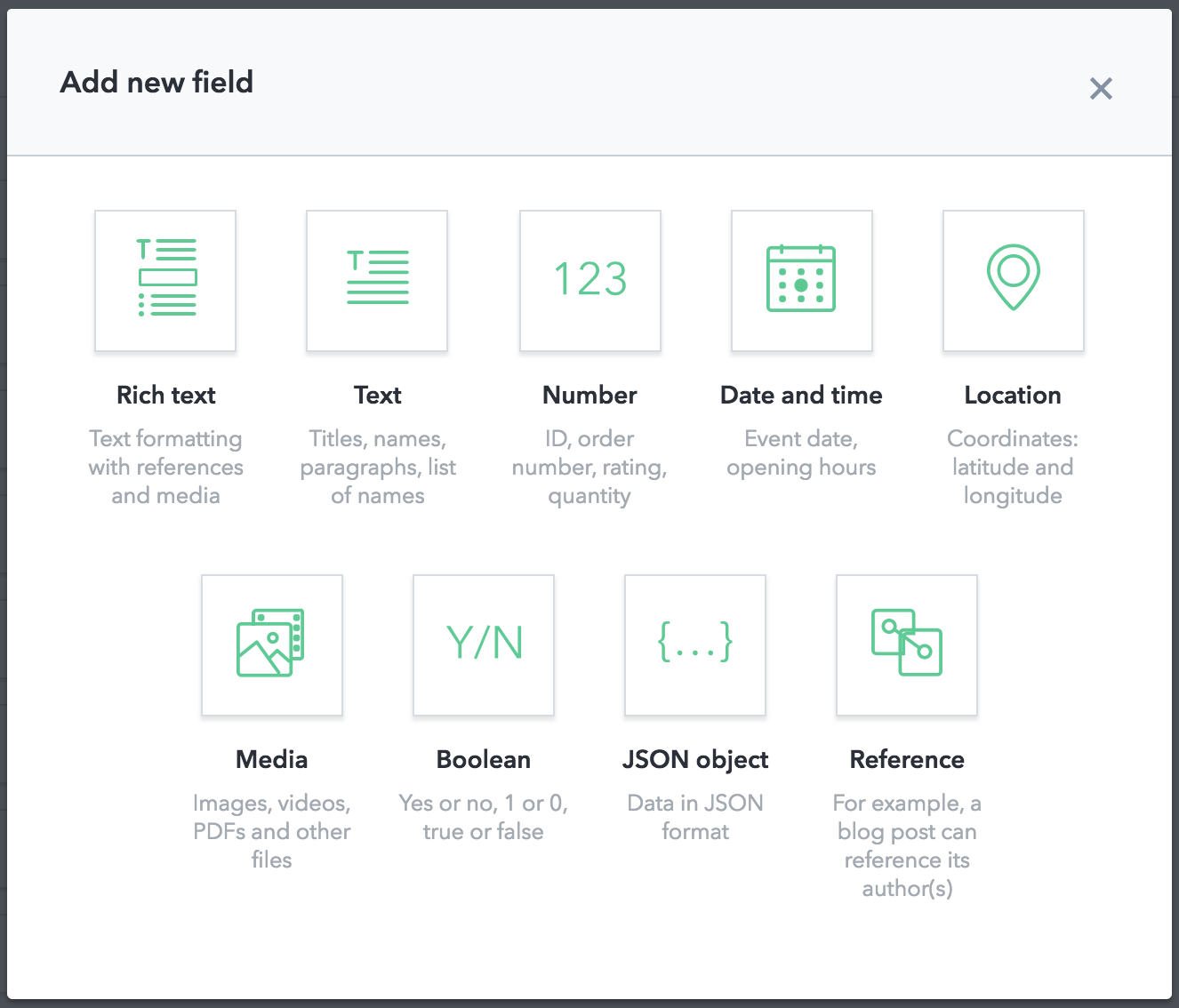
Each content type consists of a set of up to 50 fields that you define, these fields can be one of the following, and correspond to a JSON type. There are differences between the fields you can create in the web app and the API.
- Text: Fields do not support ordering or strict equality.
- Date: Fields must be ISO8601 formatted, but do not require a time portion.
Array fields
Fields can contain multiple values with the Array type. An array can contain symbols (strings up to 256 characters), or links to other entries or assets. The items property defines the allowed values in the array.
You define a field that contains symbols like this:
You define a field that contains links to assets like this:
You define a field that contains links to items like this:
Individual fields also contain metadata, such as validations and widget appearance.
Contentful stores individual items of content as entries, which represent textual or structural information based on the content type used. Items can also be assets, which are binary files, such as images, videos or documents. Assets have three fixed fields, the name, description and attached file.
You can see how Contentful represents your content model in JSON by clicking the JSON preview tab next to the fields tab.
If you want to hide fields from appearing in JSON output, you can disable it by clicking the three dots to the right of the field.
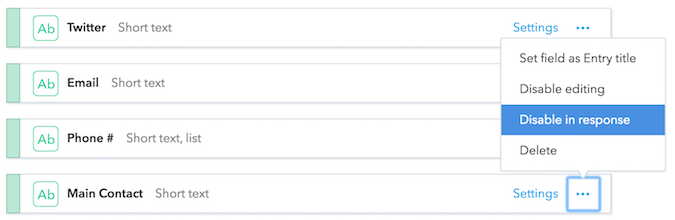
This is useful for content information that is important to writers and editors, but not for public consumption.
Example - data modeling a product catalogue
One of the template spaces in Contentful is for a product catalogue, it consists of:
- A Category: What product type is it?
- A Brand: Who made the product?
- A Product: An item for sale that references a category and a brand.
And the Brand content type consists of the following fields:
- Company Name: A text field that represents the title of the entry, it’s required, with the Single line appearance setting.
- Logo: A media field that references assets.
- Description: Describes the brand, it’s a longer text field with the Markdown editor enabled.
- Website, Twitter, Email: Three text fields that hold the contact details for the brand. They have validation rules to ensure the correct contact information.
- Phone #: Another text field, but one that allows a user to add a list of values.