Audiences
Overview
An audience is a group of people identified by a set of rules. They are the mechanism by which you show different Personalizations and Experiments to specific groups of visitors. For example, you can create an Audience of visitors who have seen a specific page of your website, or an Audience of visitors who share custom attributes in common.
Audiences define the eligibility requirements for the Personalization or Experiment. You can specify conditions, rules, and criteria that users must meet to be included in the targeted Audience. This ensures that the right content is shown to the right Audience, optimizing the impact of your marketing efforts.
Create an audience
To create an audience:
Log in to the Contentful web app.
Navigate to the "Content" tab.
Click +Add entry, and select Audience.
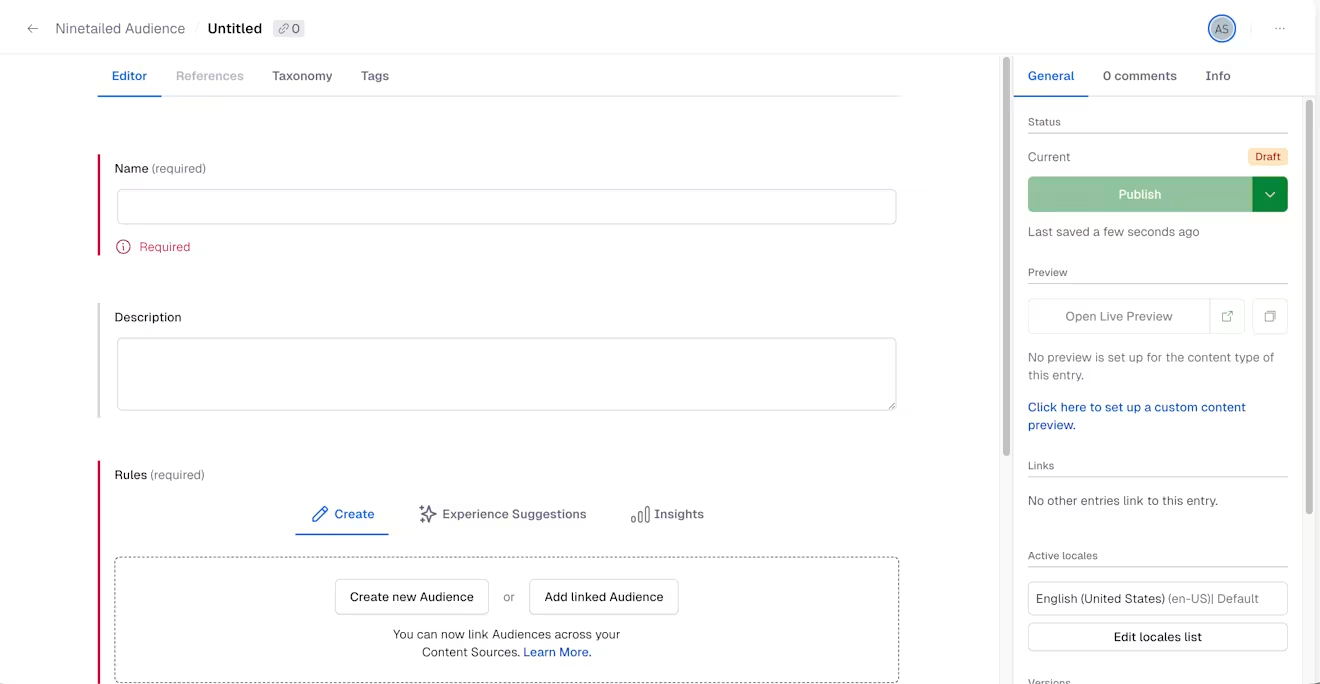
Enter a relevant name for your audience.
Optional: Enter a relevant description so you can identify the audience later.
Under the "Rules" section, choose Create new audience to create an original audience, or Add linked Audience to use an already defined audience. The latter option will use a Linked Audience.
When creating a new audience, the "Rule builder" section is displayed, where you can define the criteria that a user's profile must meet in order to be segmented into that Audience.
NOTE: Most rules require that your web application makes use of
page,track, andidentifyevents. Some rules can be used when any of these methods are used, while others require specific tracking methods to be implemented. For more information about rule types, see Rule types and the Send events section.Click Publish. Your audience is created.
NOTE: Every Audience is automatically assigned an ID, typically the ID of the entry itself.