Google Analytics 4
View analytics data from Google Analytics 4 in Contentful
About the Google Analytics 4 app
The Google Analytics 4 app brings page performance metrics into the Contentful entry sidebar so editors can quickly see how content is performing without leaving their workflow. It connects entries to the right page data, even for complex URL structures and multiple URLs per entry, so teams get an in-context view of impact where they work.
Features
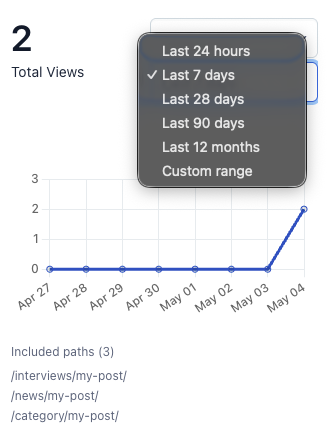
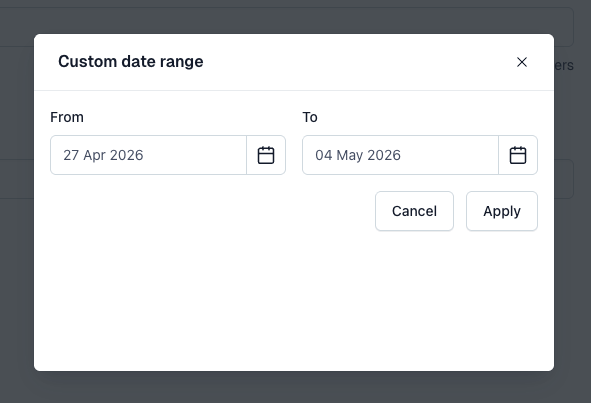
- Entry performance insights: View total or unique page views, trends over time, and deep links into Google Analytics 4 directly from the entry sidebar, helping editors understand how each entry is performing without leaving Contentful.
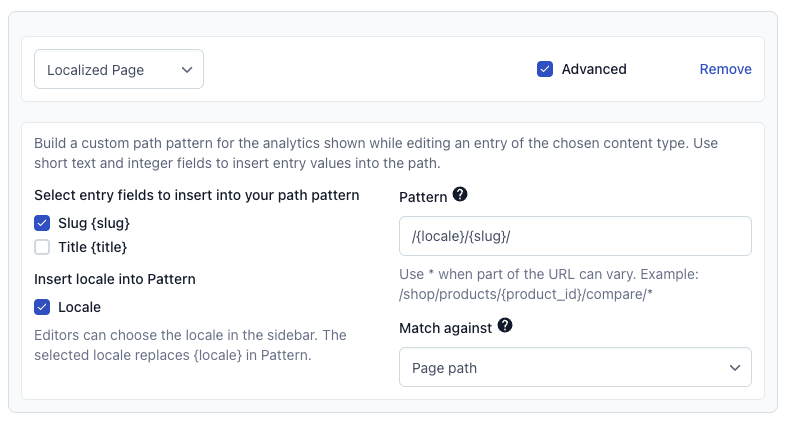
- Accurate URL mapping: Map entries via standard slug + prefix or advanced patterns built from short text, short text list, and integer fields, including localized segments, query strings, wildcard segments, and multiple rules per content type, so analytics stay aligned with your real site structure.
- Holistic page analytics: Combine metrics across all matching Google Analytics 4 page paths and show an included paths list in the sidebar, giving teams a clear view of how variants, locales, and multiple URLs contribute to an entry’s performance.
Requirements
To use this app, you will need:
- A Contentful account with at least one space where entries map to website pages, including fields that define the page path (such as slug fields or other URL components).
- A Google Analytics 4 property that already collects data for your site.
- Administrator access to Google Cloud Platform to create and configure a service account and enable the required Google Analytics APIs.
Screenshots