What’s new in Forma 36: Upgraded Figma libraries and React components
blogDetail.published February 17, 2026




blogDetail.subscribeCard.title
blogDetail.subscribeCard.description
Forma 36 is Contentful’s design system, providing the components, tokens, and guidelines that keep our products consistent and accessible. It empowers you to build apps that extend the platform and fit their needs perfectly.
The Forma 36 Figma libraries were recently updated to version 6, now live in the Figma Community. We’ve also upgraded the underlying React library to take advantage of the latest front-end capabilities, and it’s the first time the public kit fully matches the tools our product teams use inside Contentful every day.
Haven’t used Forma 36 before? In this post, we’re going to highlight some of the biggest changes, and why now’s the perfect time to jump in.
What is Forma 36?
Forma 36 is a design system that provides a shared language for anyone building with or extending the Contentful Platform, inside or outside Contentful, to create interfaces that are consistent, accessible, and on-brand.
The system includes design tokens, Figma libraries, and a React component library. It’s opinionated where it counts, flexible where it needs to be, and a real labor of love for our product team.
You can also tap into a growing library of apps built with Forma 36 that connect services like Braze, Bynder, Vercel, Microsoft Teams, and more.
And Forma 36 is open source too. You’re invited to check out our contribution guidelines if you’d like to participate. Community input makes the system stronger, faster, and better.
Why this matters and what’s new
Design systems only work when you can trust them. In older versions of Forma 36, design and code could sometimes fall out of sync. The latest releases bring the two into close alignment.
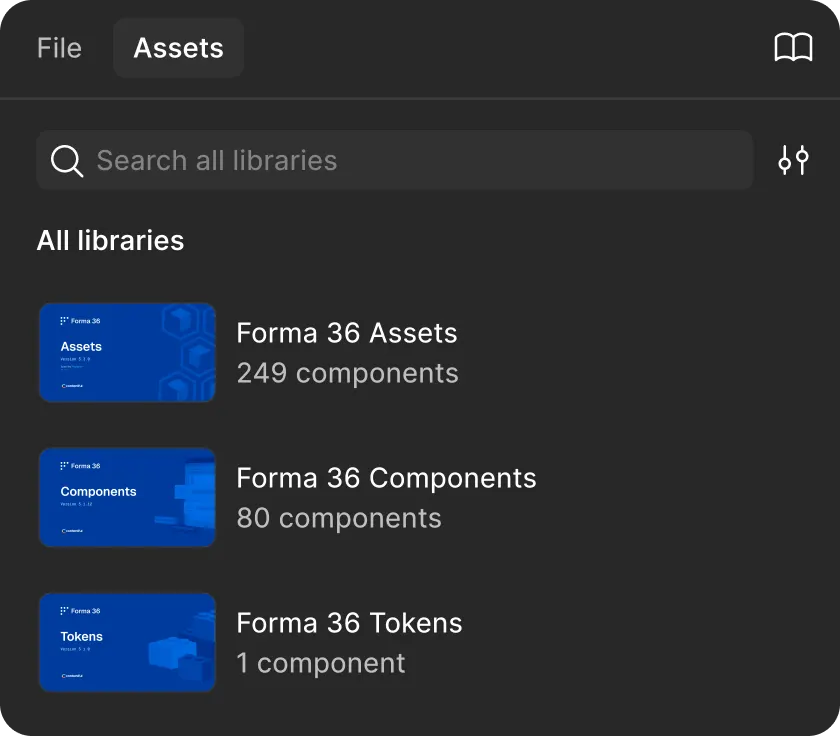
We’ve also restructured the Figma libraries into Tokens, Components, and Assets. This makes things easier to navigate and faster to use. It also gives us room to grow in the future without having to rebuild from scratch.
Better performance and structure
1. Three libraries, clear focus
Splitting into Tokens, Components, and Assets makes the libraries lighter and more performant. They load faster, search better, and publish without delays. It also means we can add new, more specialized libraries in the future without disrupting the core.
2. Parity with code
Components, tokens, and icons now line up with what developers use in production. When something doesn’t match perfectly, you’ll find that noted in the description. Sometimes that’s because an update is still pending, other times it’s because a small, intentional adjustment makes the Figma experience more intuitive.
3. About pages with guidance
Each library has an About page with usage notes, accessibility information, and links to documentation. It’s context where you need it, and over time these notes will also be a valuable resource for AI-powered tools
4. Versioning and changelogs
Every library now follows semantic versioning.
Major versions (X.0.0) align with major code releases and introduce major updates or breaking changes.
Minor versions (0.Y.0) capture design-specific changes, such as new components or significant style updates.
Patch versions (0.0.Z) are for small fixes and documentation updates.
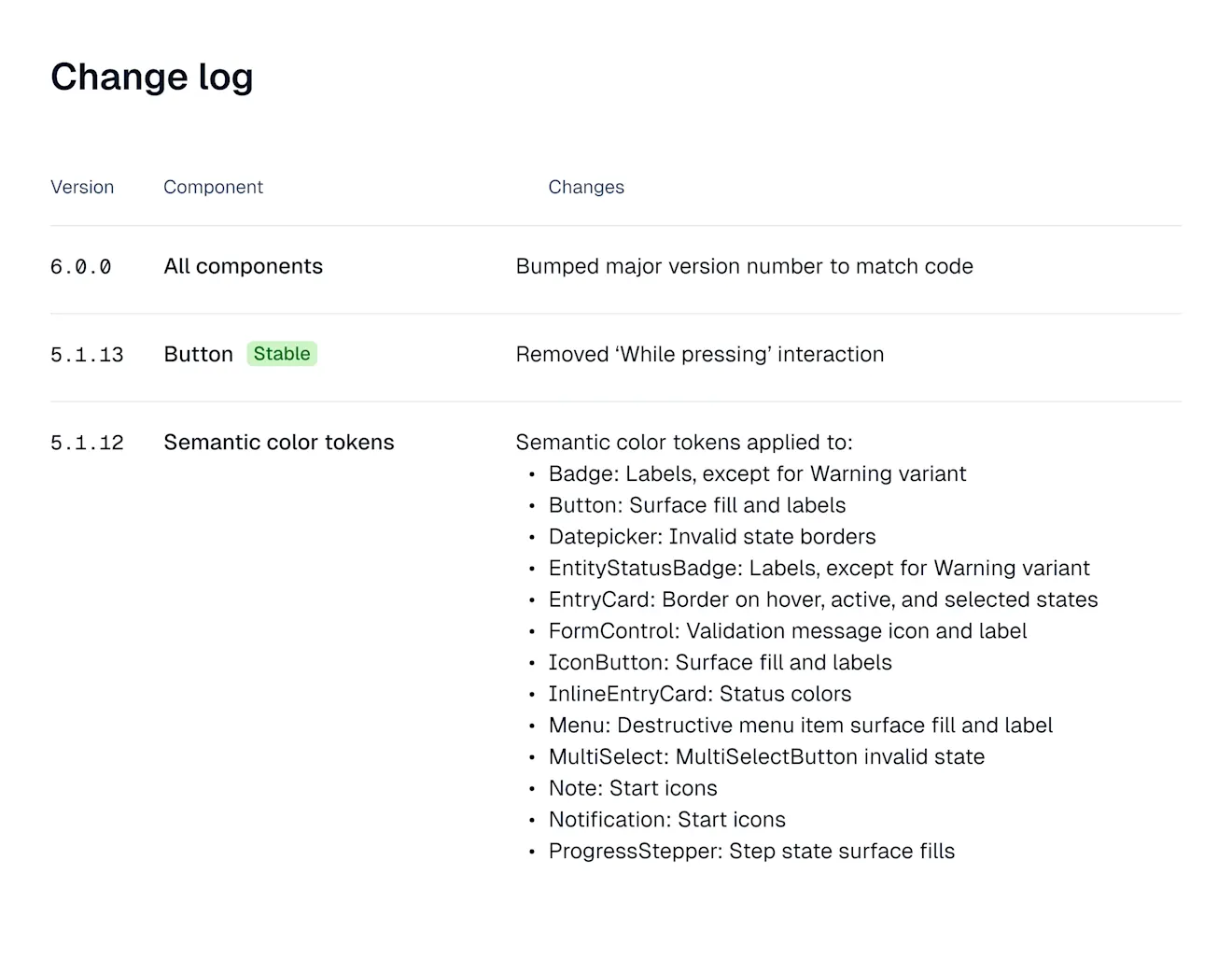
Changelogs also show status badges that reflect the React component release status. That way, you can quickly see how a Figma component maps to what’s available in code.
5. Tokens
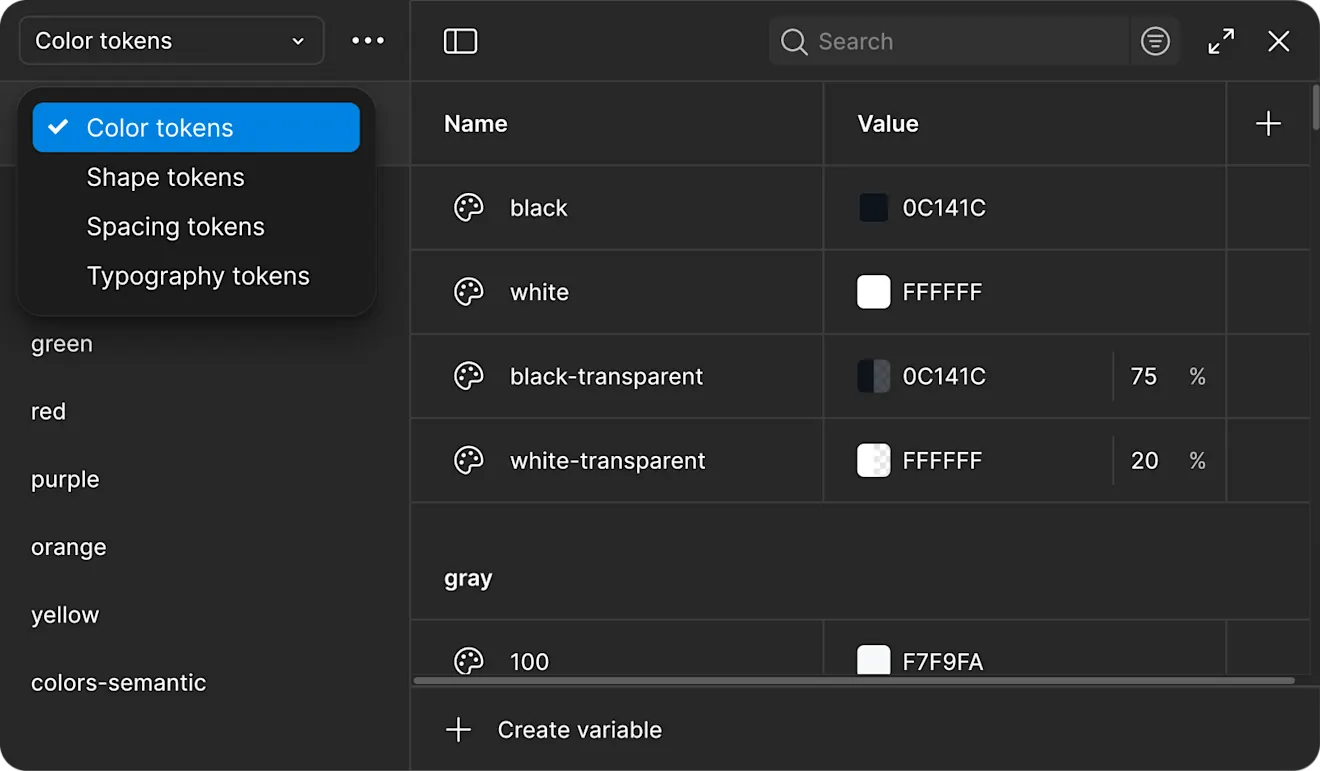
Tokens are organized into sets for color, shape, spacing, and typography, scoped to their intended use. Every component and asset is built on these tokens, which keep the system consistent.
We used tools like Design Lint to find and fix outliers — such as values without assigned tokens — so what you’re working with now is a clean, reliable foundation.
Coming soon: Tokens in Figma and tokens in code aren’t yet automatically synced. Closing that gap is high on our list of priorities. We’re also experimenting with automating semantic token generation, which could make scaling easier without sacrificing consistency.
6. Components
Components lean heavily on component properties. Variant type, size, state, and optional elements can all be adjusted without diving into the layer palette.
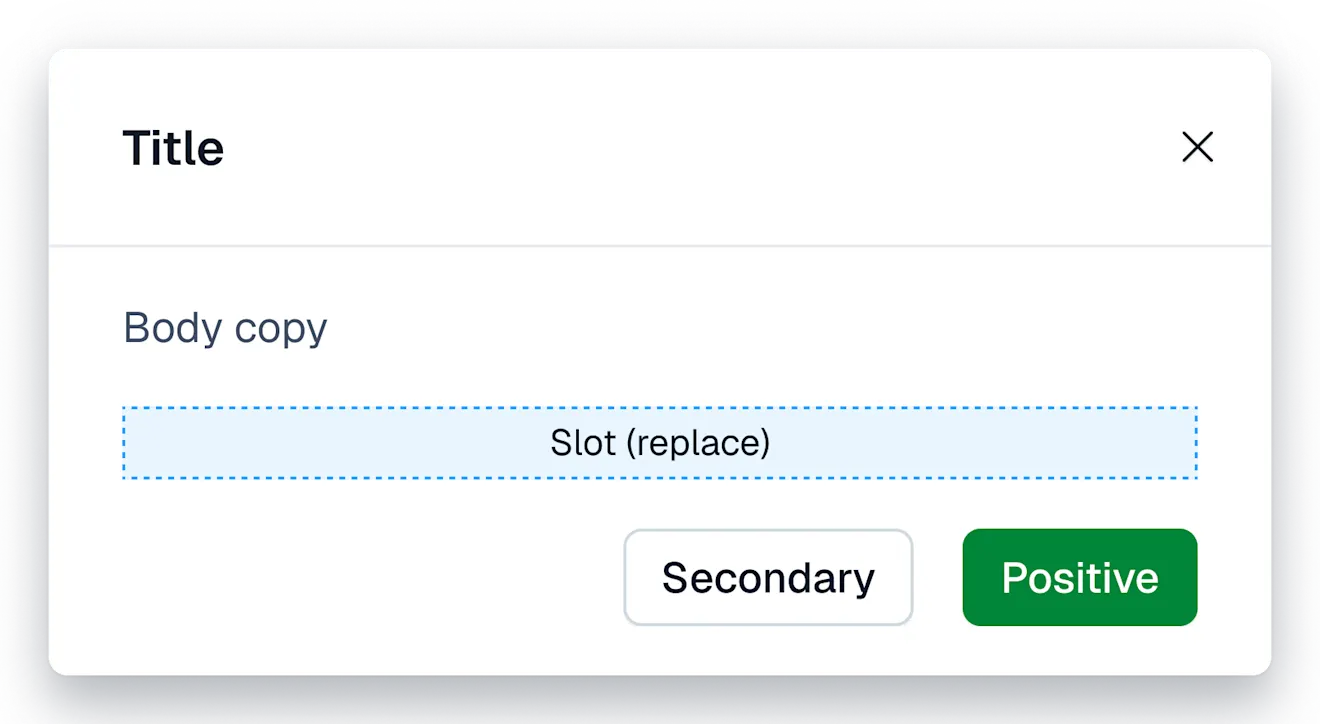
Slots for children: Where components can accept children, you can swap them with local components or other Forma 36 components.
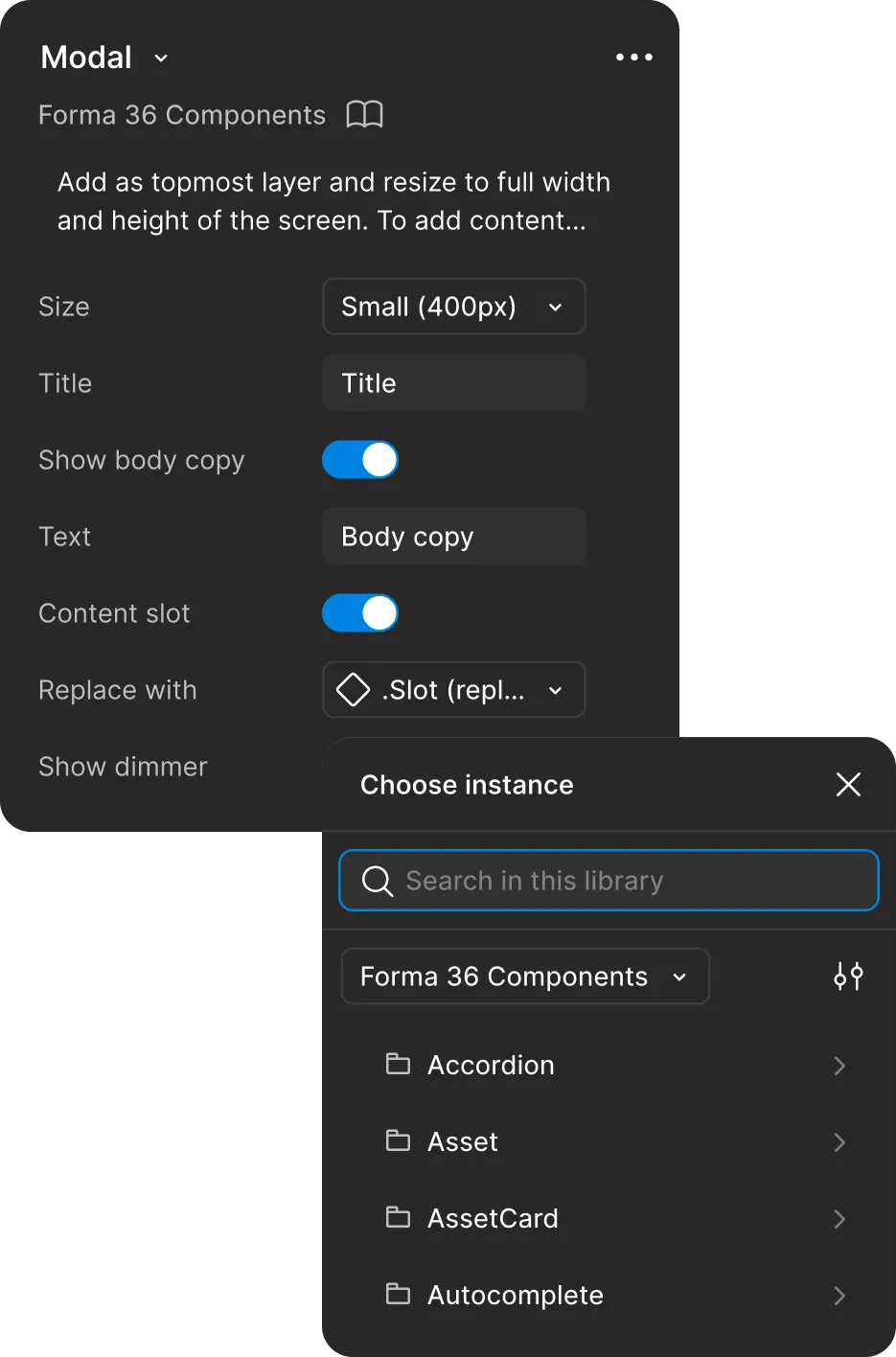
Properties aligned with code: We’ve mirrored code properties as much as possible to keep design and development in sync while keeping the Figma experience smooth.
Built-in guidance: Component descriptions explain purpose, usage, and any differences from code. More complex setups include step-by-step notes.
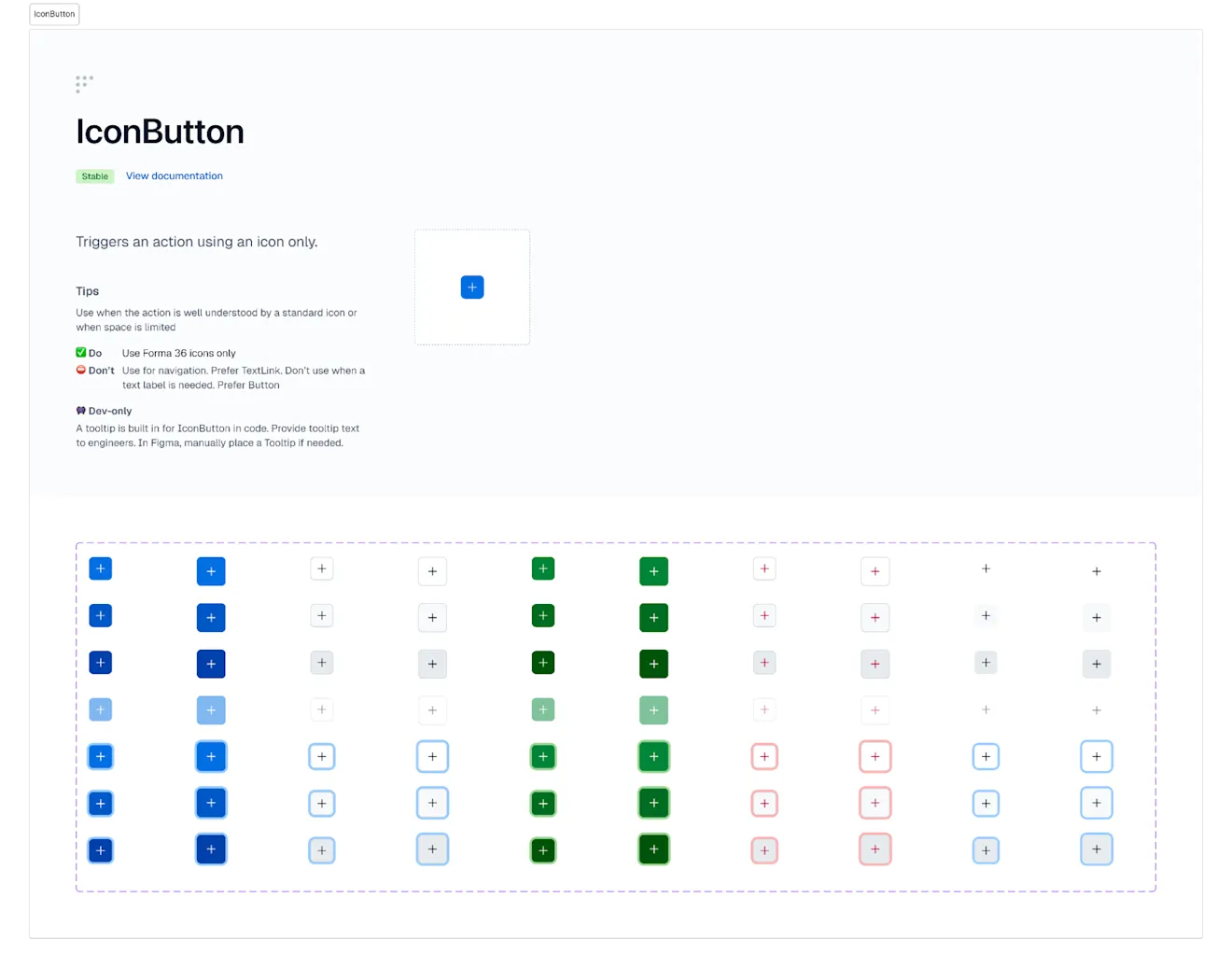
Realistic prototyping: Hover states and tab focus states are built into components, so prototypes behave more like the final product.
7. Icons
Our icons now come from Phosphor Icons, an open-source library known for its flexibility and consistency. Phosphor offers multiple weights and styles, works seamlessly across design and code, and is free under the MIT license. This means no more juggling multiple sources and plenty of flexibility to choose the right icons for experiences that go beyond our own products.
One icon per component: Each Phosphor icon is its own component, making maintenance easier and opening the door to contributions.
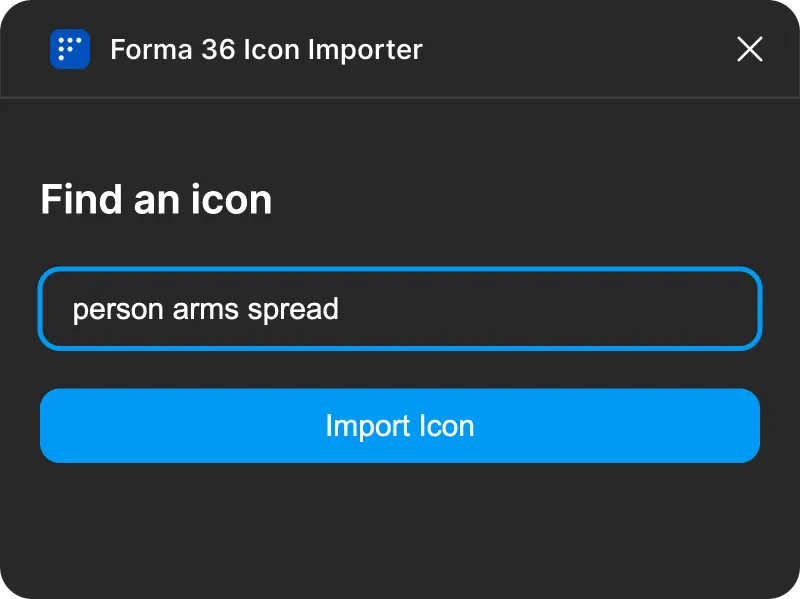
Figma plugins: Internal plugins let us import Phosphor icons directly or create custom ones when needed. They generate components with the right size and state variants, defaulting to regular style and switching to duotone for active states. They also carry over Phosphor’s tags, so you can search by keyword instead of remembering exact names. These plugins are currently internal. We’ll make them available more broadly once they’re ready for wider use.

Unified style: Before, icons came from different sources. Now everything is based on Phosphor, which means one consistent style across the system.
Updates to the technical foundation
In parallel with the Figma updates, Forma 36 has also taken a big step forward on the code side.
V6 is a major technical upgrade focused on platform modernization. The most significant change is our upgrade from React 16 to React 19, bringing improved performance, better compatibility with modern tooling, and long-term support.
While this is a major version bump, there are no breaking changes to component usage. Your existing implementations should continue to work as expected.
However, a few components now accept slightly updated property values. To make the transition seamless, we’ll be providing migration guidelines alongside the release.
Wrapping up
The Forma 36 design system continues to evolve across both design and development. Whether you're using our Figma libraries or the React component library, recent updates make the system faster, more modern, and easier to use.
With these updates, designers everywhere can now work with the same components and tokens our internal teams use every day.
Elsewhere, developers get a modern, forward-looking library ready for the latest in frontend performance and tooling.
Together, these updates bring design and development back into a single, trusted system for creating consistent, accessible, and on-brand experiences across the Contentful ecosystem.
Explore the latest libraries in the Figma Community and start building with the updated components in the Contentful Forma 36 GitHub repo.
For detailed release notes and migration steps, check out the Forma 36 changelog and documentation.

blogDetail.subscribeCard.title
blogDetail.subscribeCard.description
blogDetail.authors

Daniel is a Staff Product Designer at Contentful, leading efforts to evolve the design system as a foundation for accessible, consistent, and scalable product experiences. He champions inclusive design practices, drives cross-functional alignment, and ensures the system empowers teams to deliver cohesive, high-quality interfaces across the platform.

Kathrin is a Software Engineer focused on user interfaces, user experience, and accessibility. She is one of the leading engineers behind our Forma36 Design System and has been with Contentful for over 4 years.

Rémy is a Senior Software Engineer at Contentful. He's Passionate about design systems, software architecture, and organization. Enthusiastic about thorough documentation, knowledge sharing, and accessibility.
blogDetail.relatedArticles
Integration Spotlight: Speak every customer’s language with Phrase Localization Platform
November 18, 2024
Welcoming Ninetailed to Contentful: Composable content with AI-driven personalization
August 27, 2024
How far will Contentful MCP take your intelligent content operations?
October 3, 2025